In-home care · Shift coverage · On-site services
Licensed nurses, nearby, when you need them
Short-term in-home care tasks, facility shift coverage, and on-site business health services — booked and managed in our mobile app.
- Verified nurse credentials
- Secure payments
- Real-time task status
- Stripe Connect payouts
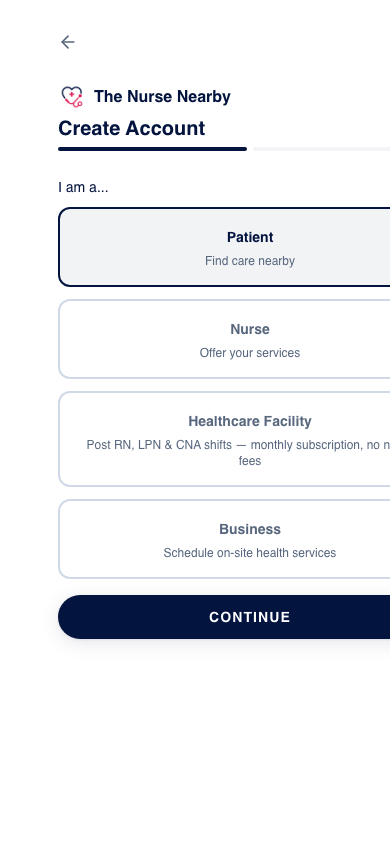
Real app screen showing account type selection
How it works
Four steps from request to payout
Every job follows the same transparent flow, whether it is an in-home care task, a facility shift, or an on-site business service.
- 01
A request is posted
A patient, facility, or business posts a care task, shift, or service request in the app.
- 02
A verified nurse accepts
Verified nurses can accept available jobs that match their credentials and availability.
- 03
The customer pays in app
The customer pays through The Nurse Nearby. Amounts and any fees are shown before checkout.
- 04
The nurse is paid out
Nurses receive payouts via Stripe Connect after completed work and account verification.
Who it's for
Built for patients, nurses, facilities, and businesses
Each audience has a dedicated experience in the mobile app, with the same verification and payment standards behind it.
For Patients
- Post care tasks with date, location, urgency, and offered pay
- Track nurse status: accepted, en route, arrived, completed
- Pay securely in app
For Nurses
- Create a nurse profile
- Submit required credentials and documents
- Complete admin verification before paid work
- Accept patient tasks and facility shifts
- Set up Stripe Connect in the app to receive payouts
For Healthcare Facilities
- Post RN, LPN, and CNA shifts
- Set hourly rates
- Manage shift coverage from the app
- Monthly subscription access
- No percentage taken from nurse pay
For Businesses
- Request on-site health services
- Coordinate scheduling through the app
- Manage service requests and status
Trust & safety
Verification before any paid work
Credential review is handled by our admin team before a nurse can accept a paid job on the platform.
- Nurses must pass credential review before accepting paid jobs.
- Supported credentials include RN, LPN, and CNA.
- Government ID, license, TB, CPR, and other relevant documentation may be required.
- Admin approval is required before nurses can access paid opportunities.
- Not for emergencies. Call 911 for emergency medical needs.
- The Nurse Nearby is a technology marketplace and does not provide medical care directly.
Pricing & fees
Transparent pricing, disclosed before checkout
Customers always see the amount they will pay before confirming. Nurse pay and payout timing are shown in the app.
Patient care tasks
- Patients pay the task amount shown in the app before confirming.
- Any platform or service fees are disclosed before checkout.
- Nurses are paid via Stripe Connect after job completion and verification.
Facility shift marketplace
- Facilities pay a monthly subscription to access shift posting tools.
- Facilities set nurse hourly rates.
- The Nurse Nearby does not take a percentage of nurse pay for facility shifts.
Business services
- Pricing depends on the requested service, schedule, and staffing needs.
- Pricing is shown before confirmation.
Nurse payouts
Payouts through Stripe Connect
- Nurses complete Stripe Connect onboarding in the app.
- Payout eligibility depends on account verification and completed work.
- Nurses are responsible for maintaining accurate payout and tax information in Stripe.
App preview
What the mobile app looks like
Sanitized screenshots captured from the current mobile app interface. More in-app task and dashboard screens can be added once the team provides mock-data screenshots.
Create an account as a patient, nurse, facility, or business
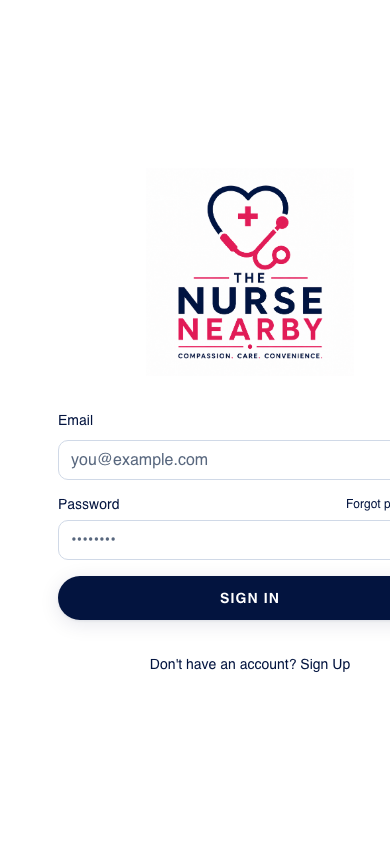
Secure mobile sign-in before managing requests, jobs, and payouts
FAQ
Questions we hear most
If your question isn't answered here, our support team is available by email.
Download
Get the mobile app
Account creation, job matching, payments, and nurse payouts are handled in the mobile app.
Availability depends on nurse coverage in your area.
Official logo from the mobile app
Support
Talk to our support team
Questions about a care task, credentials, facility shifts, or payouts? Send us a message.
We respond within 2 business days.
For emergency medical needs, call 911. Support cannot provide clinical advice.
Visit the full Support page